The wedding photo editing workflow, from full cards to a delivered gallery
The one phase of the wedding lifecycle with no external deadline - verified backup, three culling passes, a consistent edit, sneak peeks, QC, and calendar time that keeps the queue honest.
Last updated: September 3, 2026
Why editing is where seasons die
Every other phase of a wedding has an outside force pushing on it. An inquiry has a competitor answering faster. The pre-wedding checklist has a date bearing down on it. The wedding day is the wedding day. Delivery has a contract date the couple can quote back to you. But between the backup and the delivery sits a long middle with nobody pushing at all - the couple isn't emailing yet, the files aren't going anywhere, and the next wedding on the calendar always feels more urgent than the one already shot.
That is the mechanism: editing is the only phase with no external deadline pressing on it, so it absorbs every delay the season produces. A rescheduled consult, an extra booking, a lost week - the time comes out of editing, because editing is the only phase that will quietly give it up. Nothing breaks on the day it slips; it breaks six weeks later, as four half-finished galleries and a couple asking where their photos are.
The fix is not to edit faster. It is to give the phase the structure the outside world refuses to give it: separate jobs, in a fixed order, with dates you set yourself. This guide covers only that phase - full cards to delivered gallery. The rest of the lifecycle is covered in the full wedding photography workflow guide.
Before you cull: ingest and verified backup
No culling starts until the wedding exists in three places. The 3-2-1 discipline - three copies, on two different types of media, with one copy offsite - is the precondition for everything that follows, because the cull is hours of keystrokes on what might otherwise be the only record of someone's wedding. Copy with software that verifies the transfer rather than dragging folders, work from the copied files and never from the card, and leave the cards cased and untouched until the backups are confirmed. The full backup phase is covered in the workflow guide; the rule that matters here is that editing begins after verification, not before.
Cull in three passes, not one
The instinct is to go through the take once, carefully, deciding everything about each frame as you reach it. It feels thorough. It is the slowest possible way to cull, and the reason is decision fatigue: judging a frame asks several questions at once - is it technically sound, is it the best of its run, is it gallery-worthy - and each uses a different kind of attention. Answer all of them on every frame and each decision degrades the next, until by frame eight hundred you are re-examining a blink for the third time. Decisions are a budget: spend the cheap ones first, in bulk, so the expensive ones are only made on frames that earned them.
So the cull is three passes, each with one job.
- Pass one: rejects. Fast and binary - blinks, focus misses, misfires, and test frames. Nothing here needs comparing; anything that does waits for pass two. The only question is "is this frame obviously not deliverable?" and the only answers are yes and no. No maybes: a maybe is a decision you have promised to make twice. This pass moves at the speed of your keyboard - one key per frame,
Xto reject in Lightroom - and removes the bulk of the take. - Pass two: selects. Now you are comparing siblings, not judging in the absolute. Within each burst and each repeated setup - the same laugh shot five times, the same vow from two angles - pick the frame that carries it best and let the rest go. The question is "which one?", never "is this good?", and it is answered side by side, not frame by frame - Lightroom's Compare and Survey views exist for exactly this.
- Pass three: final ratings. The survivors against the whole: shape the set to the delivery count you promised, check that every chapter of the day is represented, and flag the hero frames - they become the sneak peek and get extra polish later.
Three quick passes beat one perfectionist crawl because each pass keeps your brain in one gear: rejecting is mechanical, selecting is comparative, rating is editorial. The perfectionist pass isn't more careful - it is the same three jobs done in a worse order, with expensive judgment spent on frames the cheap gate would have removed.
Developing a consistent edit
A gallery is judged as a whole. The couple will see image 40 and image 400 minutes apart, and if the skin tones drift or the contrast jumps between them, the gallery reads as a pile of photos instead of one photographer's work. Consistency is not a style choice - it is the thing that makes a style visible. So the first editing question is not "how do I make this frame great?" but "what does this wedding look like?"
Anchor that answer with reference images. Pick a small number of frames from each distinct lighting scene - getting ready by the window, the dim ceremony room, golden hour, reception flash - and edit them fully, until they look like your portfolio. They become the standard every other frame in that scene is matched to. Presets belong here as starting points, not finish lines: a preset gets a frame into the neighborhood of your look, but white balance, exposure, and tone still have to be settled per scene, because the preset was built on light that isn't this light. The anchor frames are also where the heavier tools earn their keep - AI Denoise on the high-ISO ceremony and reception frames, a subject mask to lift faces out of a dim room, Generative Remove for the exit sign glowing over the aisle - because whatever you fix on the anchor sets the standard for its whole scene. A preset applied and left alone isn't a style; it's a default.
Then sync. Once the anchor frame for a scene is right, copy its settings across the scene - Sync Settings in Lightroom, or your editor's equivalent - and refine only the frames that need individual attention: the hero frames from pass three, and the handful where the light shifted mid-scene. This is what makes a large gallery tractable: you are not making four hundred editing decisions, you are making one decision per lighting scene and letting it propagate.
Batch tools and AI: what to hand over, what to review
There is software that will cull for you and software that will edit for you, and the useful question is not whether to use it but which decisions to hand it. The dividing line: automate decisions that have a right answer, and review decisions that have a taste answer.
The rejects pass is the clearest win. Detecting closed eyes, focus misses, and duplicate bursts is mechanical work - the frame is sharp or it isn't - and AI-assisted culling tools like Aftershoot and Narrative Select are built for that kind of detection. Letting one group bursts and flag technical failures turns pass one into a confirmation sweep instead of a frame-by-frame hunt. The selects pass is where the hand-off stops being safe: the best frame of a moment is often the technically imperfect one - the real laugh over the sharp smile - and that is a judgment about feeling, which is yours to make.
The same line runs through editing. Tools that learn your style from past edits - Imagen, Aftershoot's editing side - and apply a first pass across the take can replace the preset step with something closer to your actual look, applied uniformly. But the output is a proposal, not a finish: mixed lighting, skin tones, and the frames where you broke your own rules on purpose need eyes on them, scene by scene, before anything ships. No tool changes the shape of the workflow - backup, cull, develop, QC - it compresses the mechanical stretches inside it.
Sneak peeks: a deliberate deliverable, not a favor
The couple's waiting clock starts on the wedding night. Every week after that, silence gets more expensive: by week four with nothing in hand, the wait is the whole relationship. A sneak peek - a small set of the day's strongest frames, delivered within the first few days - resets that clock. The couple is no longer waiting since the wedding; they are waiting since the peek, with images in hand and their circle congratulating them all over again. That is why the peek is a scheduled deliverable in this workflow, not a nice gesture when you find time.
Two rules keep it working. Edit the peek to finished standard, because it is the first evidence of what the full gallery will be - a rushed peek sets the wrong anchor. And send it with a date: "the full gallery lands by the twelfth of next month" turns the peek into an expectation-setting tool instead of an invitation to ask. The hero frames flagged in the ratings pass are the peek; that is what the flag was for.
The peek is also the moment to send the final invoice, if one is still open. The couple has images in hand and their circle is reliving the day with them - an invoice that arrives alongside the peek reads as part of the delivery, not a bill out of nowhere, and it tends to get paid while the goodwill is at its peak rather than chased weeks later.
The QC pass before export
Editing happens one frame at a time, and that is why finished galleries ship with errors in them: consistency mistakes are invisible in single-frame view and obvious in a grid. So the last step before export is a separate quality-control sweep with its own job - scroll the entire finished take in grid view and look for the breaks. One warm frame in a cool sequence. A crooked horizon that survived. A crop that clips a hand. A stray reject that slipped through. Sensor dust in every sky frame from the same lens - a quick fix with the Remove tool once you know it is there, and invisible until you look for it.
Then export once, as a single batch, and spot-check the exports themselves - the file count matches the selects, the files open, the sizing and color profile are what the gallery host expects. The QC pass exists because "every frame was edited" and "the gallery is right" are different claims, and only the second is what you deliver.
Protecting editing time on the calendar
Everything above describes how to run the phase. None of it survives contact with a season unless the time exists to run it in - and this is where the opening problem comes back. Editing has no external deadline, so an editing queue that lives in your head is aspirational: it exists as guilt, not as a plan, and every other demand on the calendar outranks it because those demands are visible and the queue is not.
The fix is to block edit days per wedding at booking time, scheduled backward from the contract delivery date. As an illustration, not a rule: a cull day inside the first week, two or three edit days across the following weeks, and a QC and export day comfortably before the date you promised. The exact shape depends on your volume and pace - the point is that the blocks exist before the wedding is shot, attached to the wedding they belong to.
Once the queue is on the calendar, two things change. When something new wants a day - a booking, a reschedule, a favor - you can see which wedding's edit would pay for it, and move that block deliberately instead of losing it silently; the delay becomes a decision with a name on it. And capacity becomes visible in advance: when the edit blocks for the weddings you've booked no longer fit ahead of their delivery dates, you are overbooked, and you know it while it can still shape what you take on.
Common questions
What is a wedding photography editing workflow?
The ordered set of steps that turns full memory cards into a delivered gallery: verified backup, a rejects pass, a selects pass, a final ratings pass, a consistent develop anchored per lighting scene, an early sneak peek, a quality-control sweep, and one batch export. Each step has one job and a concrete output, so a wedding is always in a known state rather than vaguely being worked on.
How do I cull wedding photos faster?
Stop making every decision on every frame. Split the cull into three passes that each ask one question: pass one removes the obvious rejects (blinks, focus misses, misfires) with binary yes-or-no calls, pass two picks the best frame within each burst and each run of near-identical shots, and pass three rates the surviving set against your target delivery count. Cheap decisions clear most of the take, so careful judgment only happens on frames that earned it.
Should I use AI culling or editing software?
Use it where the decision has a right answer, and review it where the decision is a matter of taste. Software that flags closed eyes, focus misses, and duplicate runs does mechanical detection - that part of the cull is safe to hand over. Choosing the best frame of a moment, or approving an applied edit across mixed lighting, is judgment about feeling and skin tones - let the tool propose, then review scene by scene before anything is final.
When should I send the wedding sneak peek?
Within the first few days after the wedding, edited to the same standard as the final gallery. The peek resets the couple's waiting clock: instead of counting the weeks since their wedding, they count from the images they just received and shared. Send it with a note saying exactly when the full gallery will arrive, so the peek sets the expectation instead of inviting the question.
How do I keep wedding editing from falling behind?
Put the editing on the calendar when you book the wedding, not when the cards come in. Block a cull day in the first week and edit days scheduled backward from the contract delivery date. Editing is the only phase with no external deadline pushing on it, so it silently absorbs every delay unless the time is reserved in advance - a queue that lives on the calendar is visible, and a visible queue can be defended.
Put the editing queue on the same calendar as the weddings
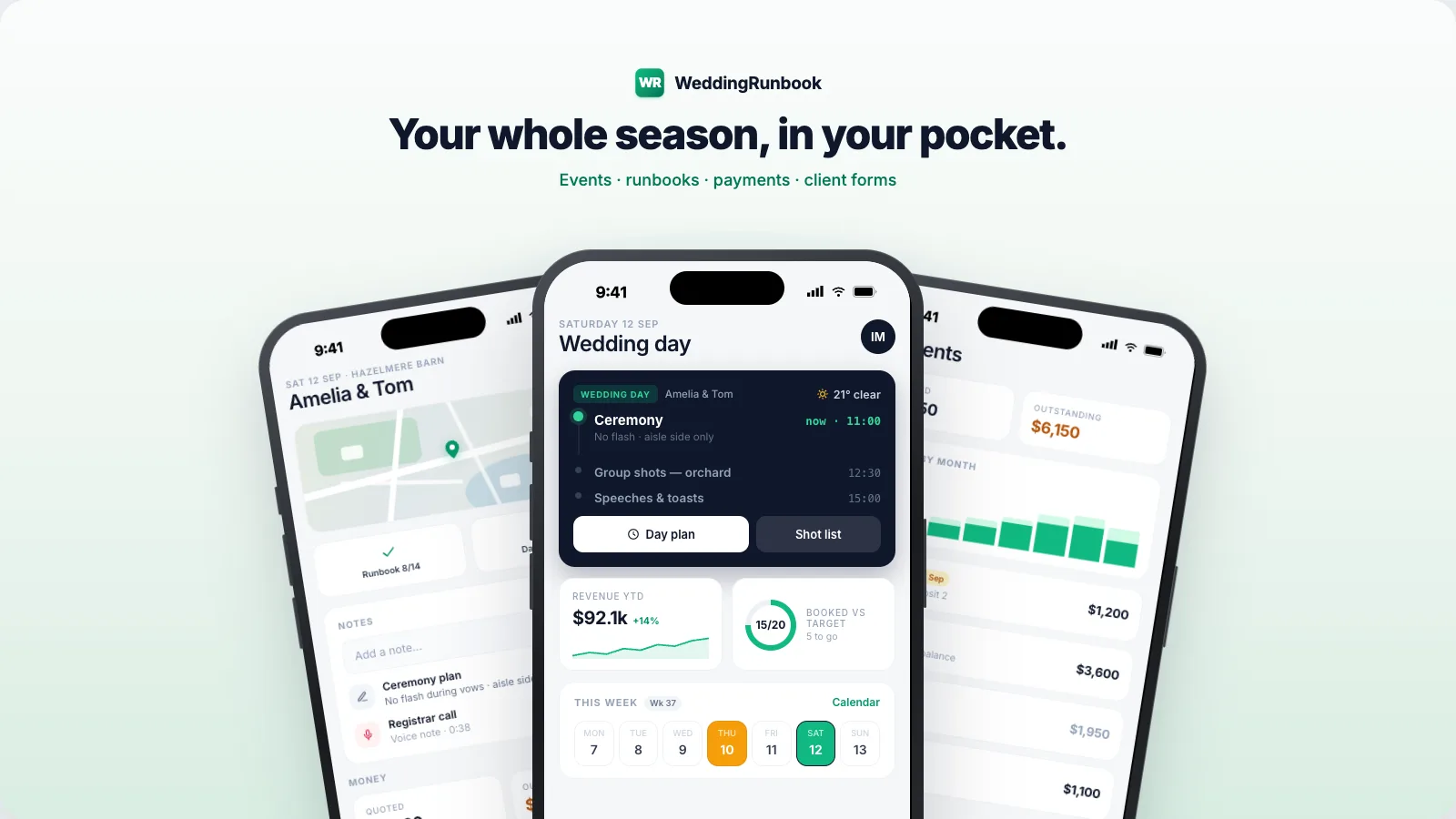
WeddingRunbook is calendar-first software for wedding photographers and videographers - technically a CRM, but built around the event rather than the sale. Every wedding carries its own tasks and deadlines, cull days and edit blocks included, laid out on one calendar so the queue is visible before it slips. Free for 14 days, then $9 a month or $90 a year - one plan, everything included. The client portal - galleries, chat, e-signed contracts, quotes, invoices, questionnaires - is live, with 20 GB of galleries included, and the iOS app is in beta.
Start your season14-day free trial - no card required.