Wedding photography email templates
Eight copy-ready emails tied to fixed points in the wedding lifecycle - the full text of each, when to send it, and the two lines you should always rewrite by hand.
Last updated: September 3, 2026
Why the same eight emails eat a season
Every wedding you book sends roughly the same sequence of emails at the same points in its lifecycle: a reply when the inquiry lands, a confirmation when the contract is signed, a questionnaire request, a payment reminder or two, final details the week before, a sneak peek the day after, the gallery, and a review ask. The couple changes, the venue changes, the sequence barely does.
Written from scratch, each send is a small composition task: find the last version, check what you promised, adjust the details, second-guess the tone. Multiply eight emails by a season of weddings and the same message gets rewritten dozens of times, worst of all in the busiest months. That is the real cost: the quality of each email depends on the hour it was written in. A template moves the writing to one calm sitting, so the version that goes out at eleven at night in October is the good one you wrote in March.
The eight templates below cover the full sequence. The starting point is the email template set that ships with every new WeddingRunbook account, adapted as plain emails and extended to cover the whole lifecycle, so you can paste them into any tool. Square brackets mark the blanks; a section below covers filling them by hand or with a template tool.
The inquiry reply
Send it the same day the inquiry arrives, within a few hours if you can. Couples may well be comparing several photographers, and the first reply that confirms the date and offers a concrete next step becomes the one every later reply is measured against. The template answers the question the couple actually asked - is the date open - attaches pricing so nobody has to book a call to learn a number, and ends with a single next step, because one clear action gets taken and a menu of options gets postponed.
Subject: Your wedding at [venue] - availability and next steps
Hi [first names],
Thank you for reaching out about your wedding on [wedding date] at [venue]. Good news - the date is open, and I would love to hear more about what you are planning.
[One sentence about their inquiry - the venue, the plan, the detail that stood out. Write this line fresh every time.]
The short version of how I work: [your one-line approach]. My full pricing and package details are attached, so you have everything in one place from the start.
The easiest next step is a short call - here is a link to pick a time: [scheduling link]. If you would rather stay on email, just reply with your questions and I will answer them all.
Talk soon, [your name]
The booking confirmation
Send it the day the signed contract and deposit land. It does two jobs: it marks the moment - the couple just made one of the bigger decisions of the planning year and wants it acknowledged - and it reads the facts back: date, venue, package. The read-back is what makes it protective rather than ceremonial, because a wrong date caught here costs one reply instead of a wedding-week scramble. The closing line says what happens next, so the quiet weeks that follow read as process, not neglect.
Subject: Your wedding photography is confirmed, [first names]
Hi [first names],
It is official - your booking is confirmed, and I am genuinely excited to be part of your day.
Here is what I have on file: Date: [wedding date] Venue: [venue] Package: [package name]
If any detail looks wrong, reply now and I will fix it while it is a one-line change. Over the coming weeks I will send a short questionnaire about your vision for the day - until then, there is nothing you need to do.
Warmly, [your name]
The questionnaire request
Send it at the lifecycle point your questionnaire belongs to - commonly a few weeks after booking for style and preferences, and four to six weeks out for final details. The questions themselves are covered in our questionnaire templates guide; this email is the wrapper that gets them answered. It names a time estimate because a form of unknown length gets postponed, and it explicitly permits blank answers because a couple stuck on one unknown detail will otherwise stall the whole form.
Subject: A short questionnaire before your big day
Hi [first names],
With your wedding at [venue] coming up on [wedding date], I would love to learn more about your plans so I can prepare to capture the day properly.
The questionnaire is here and takes about ten minutes: [questionnaire link]. It covers the moments that matter most to you, your draft timeline, and anything you would rather I avoid.
If you are not sure about an answer yet, leave it blank. We will close the gaps together at the final consultation.
Warmly, [your name]
The payment reminder
Send it a few days before each payment due date. The tone is deliberately factual and unbothered: almost every late payment is a busy couple, not a reluctant one, so the version that preserves the relationship is a note, not a nudge with teeth. It names the payment and its date so there is nothing to look up, and links the invoice directly - every step removed between the reminder and the payment is a day less waiting.
Subject: A friendly reminder about your upcoming payment
Hi [first names],
A quick note that the [milestone name] payment for your wedding photography is due on [due date]. The invoice is here: [invoice link].
If anything about the invoice or the payment options is unclear, just reply and ask.
Looking forward to [wedding date], [your name]
The final details email
Send it about a week before the wedding. The questionnaire and final consultation have answered everything by now, so this email asks nothing new - it states the plan and invites corrections. Stating the plan turns "did we ever tell the photographer about the time change" from something the couple must remember to raise into a difference they can spot in ten seconds. It closes with explicit permission to do nothing, the kindest sentence a couple can receive in wedding week.
Subject: Final details for [wedding date]
Hi [first names],
Your wedding is almost here. Here is the plan as I have it, so we are all reading from the same page:
I arrive at [prep location] at [start time]. The ceremony begins at [ceremony time] at [venue], family photos follow right after, and coverage runs until [end time].
Two small asks for this week: confirm that [day-of contact] is still the best person to help gather family for photos, and let them know I will come find them straight after the ceremony.
If anything above has changed, reply with the correction and I will update the plan. If it all looks right, you are done - there is nothing else on your list from me.
See you very soon, [your name]
The day-after sneak peek
Send it one to three days after the wedding. A sneak peek is a handful of finished photos delivered long before the full gallery, and its timing is the entire point: it lands while the wedding is still the couple's whole world and every relative is asking to see pictures, converting the weeks of editing from silence into anticipation. The email restates the full gallery date in the same breath, so the early photos do not quietly create a "the rest must be nearly done" expectation.
Subject: A first look at your wedding photos
Hi [first names],
I could not wait to share these. Here are a few favorites from your day: [sneak peek link].
[One sentence about a real moment from the day. Write this line fresh every time.]
The full gallery is in progress and will be with you by [delivery date]. Until then, these are yours to share wherever you like - a tag is always appreciated, never required.
Congratulations again, [your name]
The gallery delivery
Send it the day the gallery goes live, on or before the date you promised. The link leads because the link is the message. The download deadline and the keep-a-copy instruction sit in plain sight because that one sentence prevents the panicked email from a couple whose laptop died two years later. The print and album line is deliberately soft: opened here, while the couple is inside the photos, it reads as service; sent cold three months later, the identical words read as sales.
Subject: Your wedding gallery is ready
Hi [first names],
The wait is over. Your full gallery is ready to view and download here: [gallery link].
It was a privilege to photograph your day at [venue], and I hope these images bring all of it back.
Two practical notes: please download the full gallery within [download window] days and keep your own copy somewhere safe. And if you would like prints or an album, reply here and I will walk you through the options.
With love, [your name]
The review ask
Send it about a week after gallery delivery. The gap is the point: a couple who has lived with the photos writes a review with specifics, and specifics are what make a review persuasive to the next couple reading it. The email states the reason for the ask honestly, because a request with a stated reason is easier to act on than a bare one, and it offers a private channel for anything critical, which protects both the review page and the relationship.
Subject: One small favor
Hi [first names],
I hope you are still enjoying the gallery. If you have two minutes, a short review would mean a great deal: [review link].
Reviews are how the next couple finds a photographer they can trust, and a few honest words about your experience carry more weight than anything I could write about myself.
And if any part of the experience fell short, I would rather hear that directly - just reply to this email.
Thank you for trusting me with your day, [your name]
Placeholders: what to automate
A placeholder is a marked blank in the template - [wedding date] in the emails above, or a token like {{weddingDate}} in a tool that fills them for you - that gets replaced with the value stored for that specific wedding. Because the value comes from the wedding's record rather than from your memory, the classic template failure - an email that opens with the wrong couple's names - becomes impossible as long as the record is right. Five placeholders cover nearly every email a wedding sends.
| Placeholder | Fills in | Where it appears |
|---|---|---|
| [first names] | The couple's first names, from the booking record | Every greeting, and most subject lines |
| [wedding date] | The event date | Confirmation, questionnaire request, reminders, final details |
| [venue] | The venue or location name | Inquiry reply, confirmation, questionnaire request, delivery |
| [link] | Scheduling, questionnaire, invoice, sneak peek, gallery, or review link | One link per email, placed near the top |
| [your name] | Your sign-off | The closing line of every template |
The two lines to always rewrite by hand
Two sentences in this whole set should never come from the template: the opening line of the inquiry reply, where you reference the specific thing the couple told you, and the personal line in the sneak peek, where you name a real moment from their day. The reader cannot see your template, but they can always tell which sentence knows them - and one line that could not have been sent to any other couple makes the entire email read as written for them. That is the trade: eight reusable paragraphs, two handwritten sentences.
How to store and reuse them
Any tool works: Gmail's built-in templates, a notes document you paste from, or a text expander - a small utility that turns a short abbreviation into a full block of text. Two disciplines matter more than the tool. First, keep each template whole: subject line, body, and placeholders together, so a send is fill-and-go rather than reassembly. Second, tie each send to the wedding's lifecycle stage - a task on the wedding itself, not a thing you remember - because these emails only work at their moments, and a sneak peek sent two weeks late is just a smaller gallery.
WeddingRunbook builds both in. Email templates with placeholders are part of the product, and templates like these ship with every new account. It is calendar-first software for wedding photographers and videographers - technically a CRM, but built around the event rather than the sale - so the wedding each email belongs to, with its dates and deadlines, is always one click away.
Common questions
How fast should I answer a wedding inquiry?
Same day, and within a few hours when you can. A couple comparing several photographers will notice which reply lands first, so the first reply that confirms the date and offers a next step becomes the one the others get compared to. A template is what makes that speed possible - only the personal opening line still needs writing.
Do I need special software to use email templates?
No. Gmail's built-in templates, a notes document, or a text expander all work. What matters more than the tool: each template keeps its subject line and placeholders together, and each send is tied to the wedding's lifecycle stage rather than to memory. Dedicated tools automate the filling and the timing, but the discipline transfers to any stack.
How do I keep templated emails from sounding robotic?
Automate the facts and hand-write one line. Placeholders handle names, dates, venues, and links; a single fresh sentence naming something specific to this couple - the detail from their inquiry, a real moment from their day - makes the whole email read as written for them. Readers judge personalization by the sentence that knows them, not by the reused logistics paragraph.
How many email templates does a wedding photographer need?
The eight in this guide cover the sequence every wedding sends: inquiry reply, booking confirmation, questionnaire request, payment reminder, final details, sneak peek, gallery delivery, and review ask. Add a variant only when you catch yourself editing the same template the same way twice - a separate inquiry reply for elopements, say.
When should I ask for a review?
About a week after gallery delivery. By then the couple has lived with the photos, so the review comes with specifics instead of a generic thank you. Ask once, include the direct link, and offer a private reply channel for anything critical.
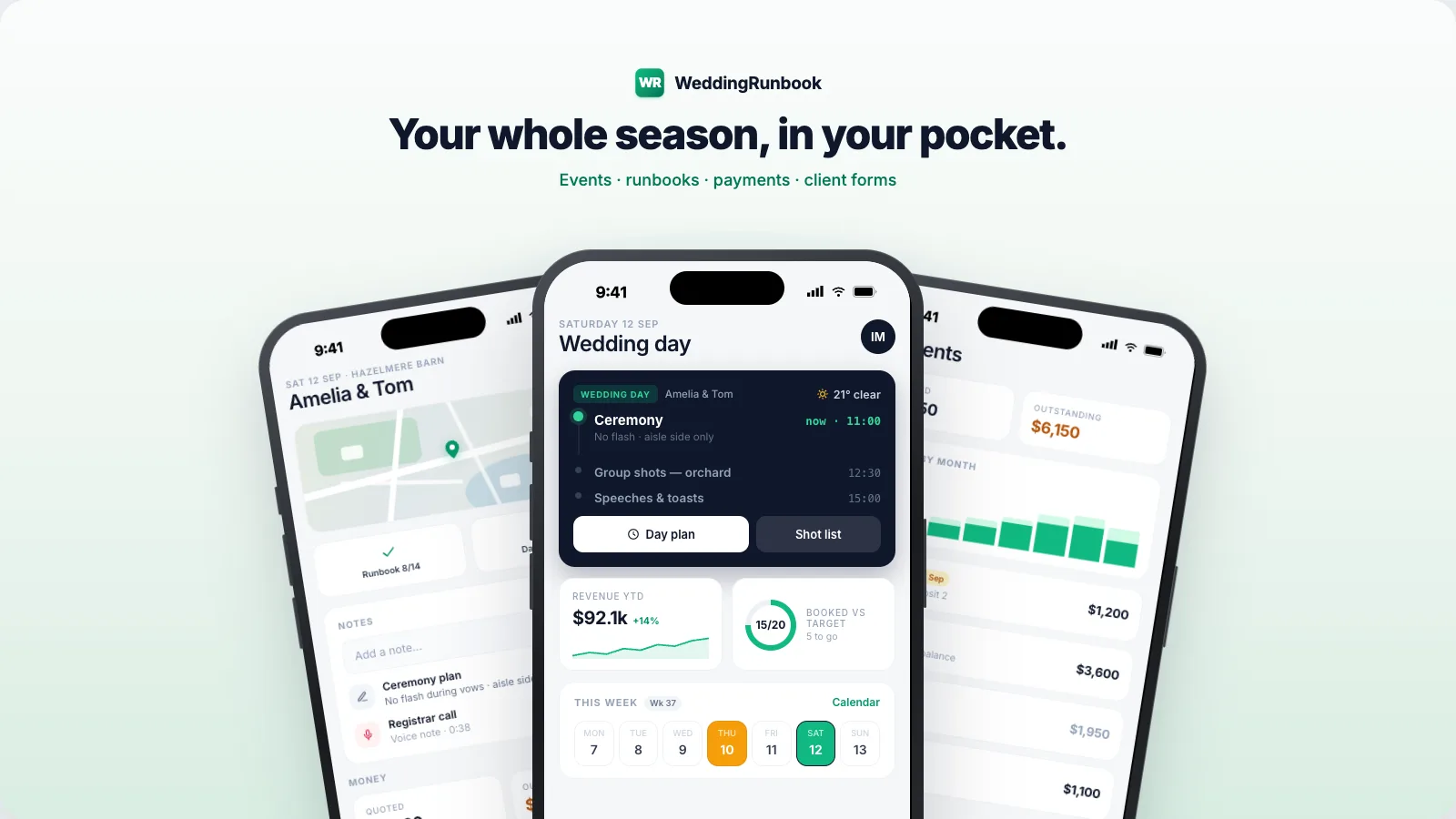
Email templates are built in, with placeholders.
WeddingRunbook is calendar-first software for wedding photographers and videographers - weddings first, any dated event after that. Email templates with placeholders ship with every new account. Free for 14 days, then $9 a month or $90 a year - one plan, everything included. The client portal - galleries, chat, e-signed contracts, quotes, invoices, questionnaires - is live, with 20 GB of galleries included, and the iOS app is in beta.
Start your season14-day free trial - no card required.